
Skroutz API Stock Sync
Complete integration for Skroutz API Stock Sync. Easily connect your store with seamless and robust syncing.
- 5.0.0Version
- 2PHP files

01
What it does
Written for WooCommerce, without third-party ballast: the same behaviour, fewer queries.
Upgrade your WooCommerce experience with our native Skroutz API Stock Sync integration. Enjoy high performance with zero database bloat and native HPOS support. Start managing your store efficiently.
Capabilities
- High Performance Order Storage (HPOS) Ready
- Action Scheduler Asynchronous Syncing
- Full API capabilities & Dashboard reporting
02 — What runs in the background
What the source code actually registers, read from the plugin itself.
- HPOSCompatible with WooCommerce High-Performance Order Storage
- Action SchedulerHeavy jobs run in the background queue
- PermissionsEach action checks the user's capabilities (1 checks)
- TranslationEvery string is translatable
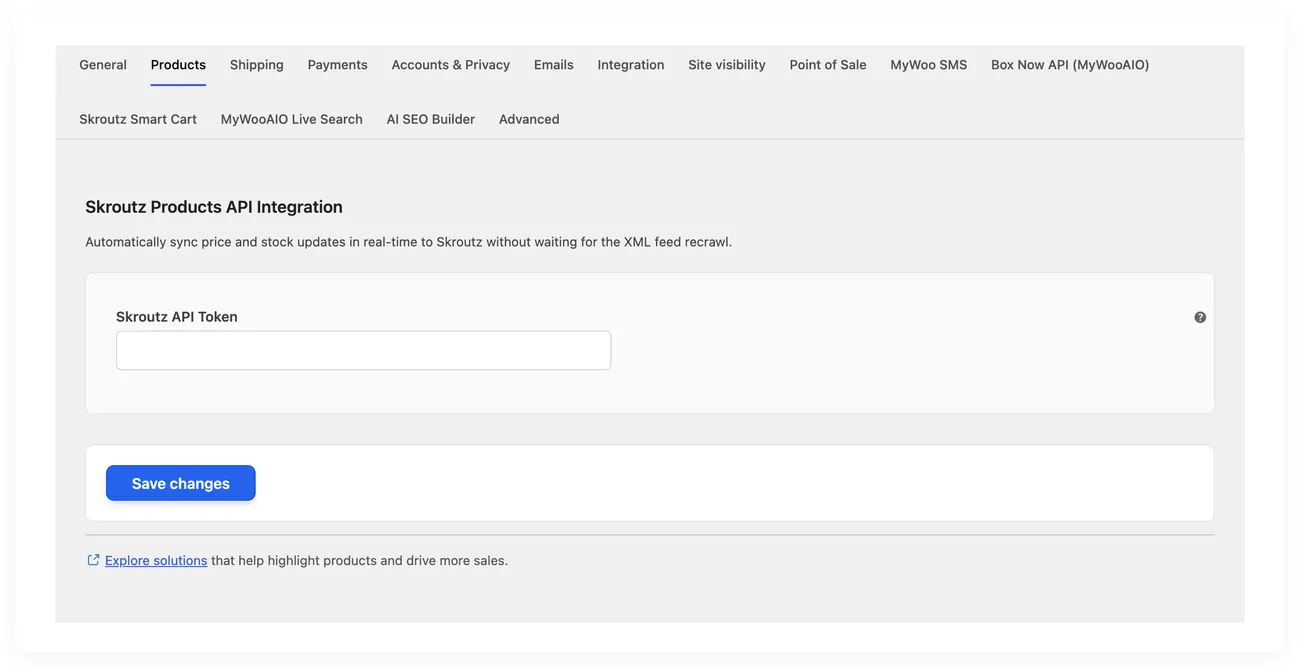
Real screen
The Skroutz sync settings
The rules that send products and stock levels to Skroutz.
04 — For developers
Every filter and action the plugin fires, with the file and line where it lives.
Filters — 1
- wc_skroutz_api_sync_force_cents
Stored settings
7 settings, kept in your own shop database. You manage them from the settings screens and you never edit them by hand.
Setup guide
The Skroutz feed is read every few hours, so a product that sold out can be sold again inside that window and the cancellation costs you position. The plugin sends the stock change the moment it happens, through the Skroutz API. It is for shops with many variations and fast moving stock.
- 1
Get the application key from Skroutz
The key you need here is the application key, not the feed key, because this is a different kind of access with different permissions. Ask for it in the partner panel and make sure it has write access to stock, because a read only key will accept the calls and never change anything. Keep the keys separate if the shop works with more than one partner.
- 2
Enter the key and turn on the API
In the settings enter the key and turn on the API. Leave it off until you have settled the batch size, because one wrongly large batch on a big catalogue can get you cut off from the API for hours. Keep the batch size at the level the plugin suggests and raise it only if you see failures stay at zero. If the shop sends prices together with stock, make sure the price going out is the one you want customers to see.
- 3
Run the first full sync
The first sync sends the whole catalogue and takes time, so let it run in an hour with little traffic and do not close the browser if the screen asks you not to. Then open a few products on Skroutz and make sure the stock shown matches the real one, with particular attention to variations. If the numbers do not match, the problem is in the way the shop keeps stock for variations.
- 4
Check the errors and the API limits
Open the call log and see whether there are rejections, because when calls are too many in a short time Skroutz cuts them off and the changes are lost without any sign. If the catalogue changes very often, increase the window for collecting changes so they are sent in groups instead of one by one. Note down which products fail repeatedly, because they usually have a wrong SKU.
- 5
Test a stock change from the admin to Skroutz
Change the stock of a product in the admin and then look at the same product on the Skroutz page after a few minutes. You should see the new stock level without waiting for the next feed read, because that is the whole point of this API. Test an order that takes stock down to zero as well, so you know the product is hidden from search.
- 6
Connect object caching and set up a check
If the server has an object cache, connect it, because the sync reads the same data often and the cache reduces the load. Then set a monthly check: open the list of products that failed and the products that were never updated, and compare a sample against the real warehouse stock. Stock is where the shop loses money without seeing it.
Common mistakes
- The whole catalogue in one call. The calls are cut off and the changes are lost silently.
- Variations sent as a single product. The stock is shared and the product sells twice.
- A key from another account, or one with read only access. The calls go through and nothing changes.
- A sync that only catches changes made inside the shop. Changes from a warehouse system or from a supplier never reach Skroutz.
More plugins in this category
Questions
About Skroutz API Stock Sync
How fast does Skroutz learn that stock changed?
The update goes out within seconds of the stock changing. It does not wait for the next feed cycle.
What gets sent this way?
Price and stock are sent, and there is an option that limits the sync to just those two. Your server is not burdened with bulk fetches.
I have a lot of colours and sizes. Will it keep up?
Variations are mapped in bulk, so updates for clothing and shoes go through fast. That cuts down cancellations caused by wrong stock.
Will I be able to see the errors?
Yes, failed calls are logged, and you can turn that logging on or off as you like. So you can find what did not go through.
Does the server need anything extra?
The Skroutz access key is mandatory. If your server has an object cache the operation is steadier, though it is not required.
Licence
Included in the MyWooAIO suite, along with every other plugin, for a single payment.
- Instant 1-click install
- Updates included for life
- Support in Greek
Installation
- Install the MyWooAIO Manager
- Paste your licence key
- One click: the plugin installs and activates itself
- Updates arrive on their own, from the dashboard
Add Skroutz API Stock Sync to your shop
One payment, updates included, no subscription.