
Alpha Bank Nexi XPay
Complete integration for Alpha Bank Nexi XPay. Easily connect your store with seamless and robust syncing.
- 5.0.0Version
- ≥ 6.0WordPress
- ≥ 7.4PHP
- 3PHP files

01
What it does
Written for WooCommerce, without third-party ballast: the same behaviour, fewer queries.
Upgrade your WooCommerce experience with our native Alpha Bank Nexi XPay integration. Enjoy high performance with zero database bloat and native HPOS support. Start managing your store efficiently.
Capabilities
- High Performance Order Storage (HPOS) Ready
- Action Scheduler Asynchronous Syncing
- Full API capabilities & Dashboard reporting
02 — What runs in the background
What the source code actually registers, read from the plugin itself.
- HPOSCompatible with WooCommerce High-Performance Order Storage
- PermissionsEach action checks the user's capabilities (1 checks)
Real screen
The Alpha Bank gateway settings
The credentials the bank provides, with a separate test switch.
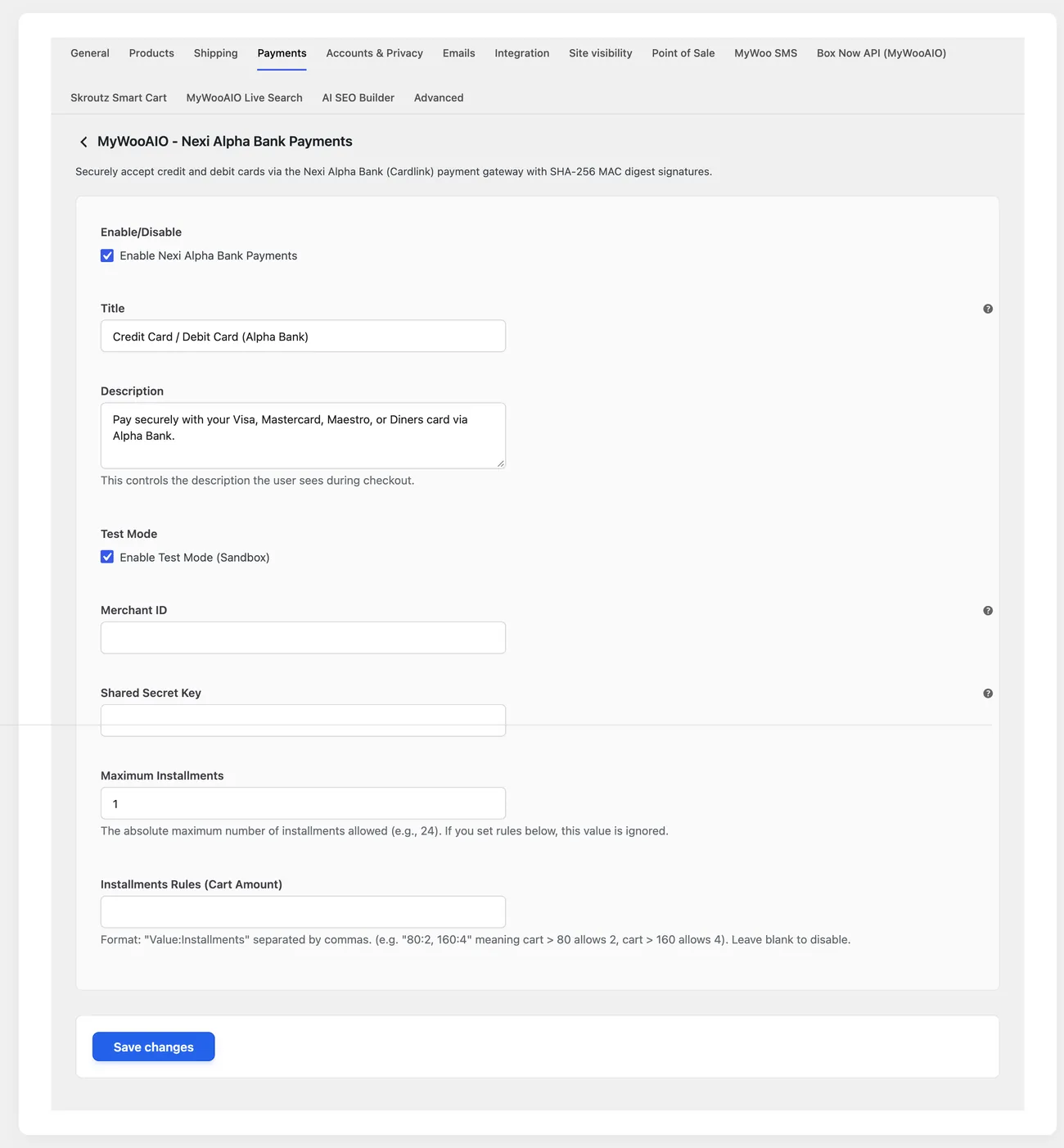
- TestingA Test Mode switch, using a test MID and Shared Secret issued by the bank
Setup guide
Alpha Bank settles through Nexi, and the plugin brings its payment page into WooCommerce with a signature on every request. It gives immediate or held charges, instalments and refunds from the order, without going out to the bank environment. It is aimed at shops that have received the merchant identifier and the signature key from Nexi and accept Alpha Bank cards with points.
- 1
Get the identifier and the signature key from Nexi
The merchant identifier distinguishes your shop and the second key is the secret every payment request is signed with. Without a correct signature the bank rejects the request before it ever reaches the customer, and the message you see does not explain what was missing. Ask for the test address as well, because Nexi gives it separately and it is not visible anywhere inside your account. Keep the two keys somewhere safe, and not in a chat or an email.
- 2
Enter the keys and choose how the charge closes
In the plugin settings enter the merchant identifier and the signature key in the fields for the provider keys, enable the method and leave test mode on. Choose whether the transaction charges immediately or holds the amount until you close it. If the shop ships from a third warehouse or checks stock after the order, a hold saves you refunds, as long as you close the holds the same day.
- 3
Check that the customer comes back to the shop
After payment the customer returns to the order confirmation page, and that is where you find out whether the order will close correctly. Open the page in a private window and make sure it does not ask for a login and is not blocked by a security plugin or a bot protection system. If the shop has page restrictions or page caching, add an exclusion for the confirmation page, otherwise the customer sees an old version and the status is never updated.
- 4
Run three tests: payment, decline, refund
Test a payment with your own card, then a card that gets declined and finally a refund from the order. In the first two you look at the order status and the message the customer sees; in the third you check that the amount is refunded without you entering the bank environment. Write down the identifier of each transaction, because if you ever need to talk to Nexi or Alpha Bank they will ask for it first.
- 5
Go live with a small amount
Replace the keys with the real ones, turn test mode off and make a small real sale. If it goes through, check three things: that the order closed on its own, that the customer received the order email and that the transaction appears in your Nexi account. From that moment do not touch the keys again, and if a change is needed, test it in the test environment first so the shop does not go down with payments that fail.
Common mistakes
- A signature key with a leading or trailing space. The bank rejects every request and the message does not show why.
- A confirmation page that asks for a login or has been blocked by a security plugin. The customer paid and the order stays pending.
- An identifier and key from a test account on a live shop. Payments go through as tests and are never settled.
- Testing only with a successful payment. Without a decline test you do not know what the customer sees when their card fails.
More plugins in this category
Questions
About Alpha Bank Nexi XPay
Is it compatible with Alpha Bank Bonus?
Yes, the fields are sent encrypted so Alpha Bank cards collect and redeem points as normal.
Licence
Included in the MyWooAIO suite, along with every other plugin, for a single payment.
- Instant 1-click install
- Updates included for life
- Support in Greek
Installation
- Install the MyWooAIO Manager
- Paste your licence key
- One click: the plugin installs and activates itself
- Updates arrive on their own, from the dashboard
Add Alpha Bank Nexi XPay to your shop
One payment, updates included, no subscription.