

All plugins
Couriers & LogisticsVersion 5.0.1

ACS Courier

Complete integration for ACS Courier. Easily connect your store with seamless and robust syncing.

  • 5.0.1Version
  • 9PHP files

01

What it does

Written for WooCommerce, without third-party ballast: the same behaviour, fewer queries.

Upgrade your WooCommerce experience with our native ACS Courier integration. Enjoy high performance with zero database bloat and native HPOS support. Start managing your store efficiently.

Capabilities

  • High Performance Order Storage (HPOS) Ready
  • Action Scheduler Asynchronous Syncing
  • Full API capabilities & Dashboard reporting

02 — What runs in the background

What the source code actually registers, read from the plugin itself.

  • HPOSCompatible with WooCommerce High-Performance Order Storage
  • Scheduled tasksUses the WordPress cron for recurring work
  • Shortcode[acs_tracking]
  • Form safetyEvery submitted form is nonce-checked
  • PermissionsEach action checks the user's capabilities (5 checks)
  • TranslationEvery string is translatable

Real screen

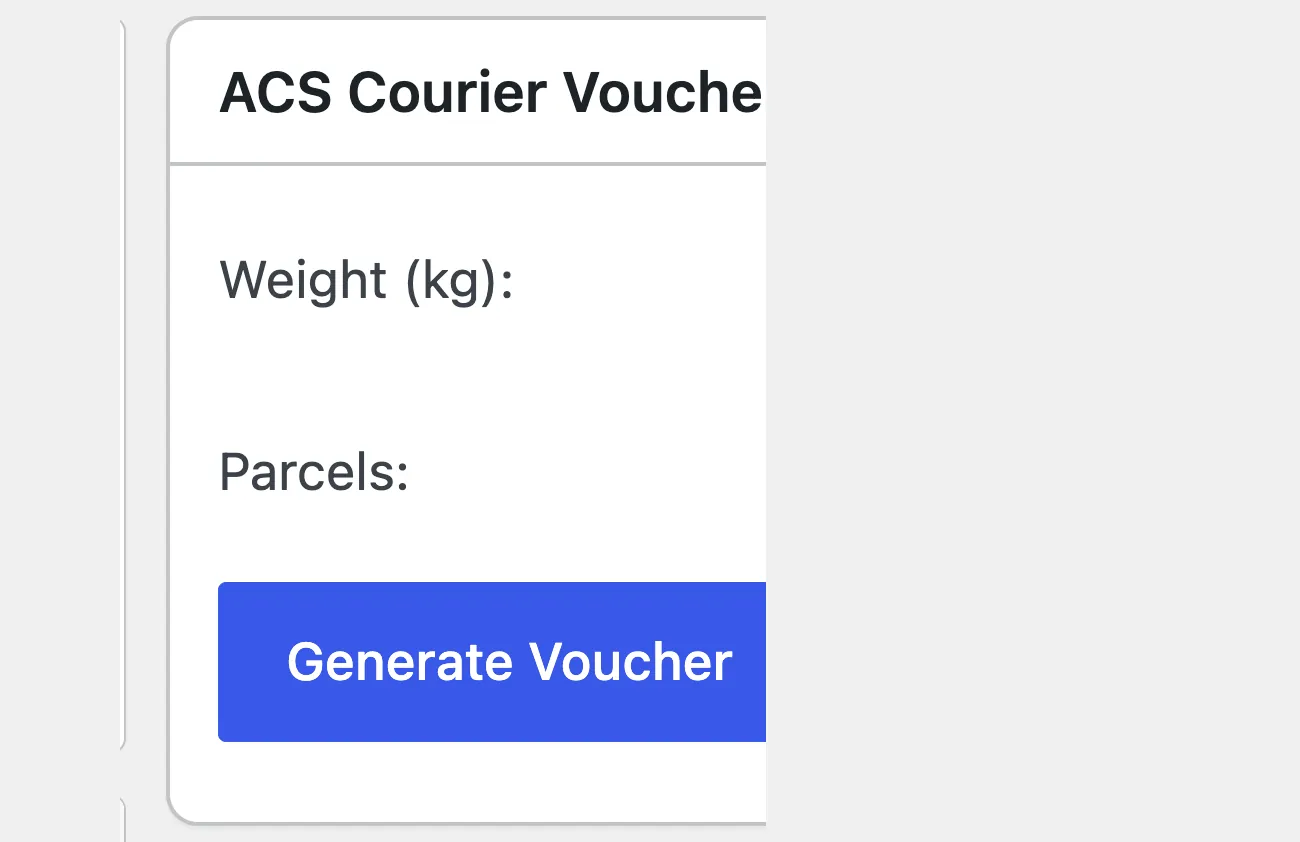
The ACS box inside the order

The voucher is issued from the order, in one click, with no copying of details.

Το κουτί έκδοσης voucher της ACS μέσα στην παραγγελία
Inside the order: the “ACS Courier Voucher” boxOpen full size

Shortcodes

How to place it

Copy the shortcode into any page, post or widget area.

[acs_tracking]

Renders an ACS shipment tracking form, where the visitor enters the voucher number and follows the progress of the delivery.

Where: On an "Order tracking" page, in the footer, or on the contact page.

Parameters: No parameters. The number travels in the acs_track URL parameter, so the link can also be sent by email.

0

Setup guide

ACS has the largest branch network in Greece and customers expect to pick a collection point at checkout. The plugin calculates the cost from the region and the weight, creates the shipping note and keeps the tracking number on the order. It is aimed at shops with active ACS service credentials and a volume that no longer fits manual work.

  1. 1

    Get the service credentials and the billing code

    ACS gives the access codes for the services, the customer code and the billing code your shipments are invoiced under. The billing code sets the price list, so if you have an agreement on a different scale, confirm which one applies before entering it. Ask whether the credentials work in a test environment, and ask for a sample shipping note so you can see how it looks before it goes to a customer.

  2. 2

    Enter the credentials and enable the method in the shipping zone

    In the plugin settings enter the service credentials, the customer code and the billing code. Then go to the WooCommerce shipping zones and add the ACS method to the zone your agreement covers, with calculated or flat pricing. Without this step the customer does not see the option at all, whatever you configured inside the plugin, and the most common support call starts exactly here.

  3. 3

    Fill in weights and switch on the collection points

    For the cost to come out right, products need a weight. Fill in weights for the products you sell often and check a few at random, because a product without weight is charged as a minimum and the shop pays the difference without noticing. Also turn on the list of collection points at checkout, so the customer can pick a nearby branch and does not have to type an address by hand.

  4. 4

    Test an order from start to label

    Place an order with your own email, pick a collection point and complete it. Open the order in the admin and create the shipping note. Check that the weight, the destination and the payment method passed through correctly and that the tracking number was written on the order and in the customer email. If the number is missing, the usual culprits are the billing code or the postcode, not the plugin itself.

  5. 5

    Check tracking and bulk printing

    Open the tracking page the customer sees and make sure it shows a correct status and not a blank page. Then test bulk printing with two or three orders, to see how a single file comes out and whether pages get cut. Bulk printing hurts most when volume grows, so it is worth knowing from the start whether the page size matches your printer and the paper you have.

Common mistakes

  • Products without weight. The cost comes out at the minimum, the shop pays the difference and the loss shows at the end of the month.
  • A shipping method enabled but not added to a shipping zone, so the customer does not see the option at all.
  • A test billing code on a production shop. Shipments are charged to the wrong account and the mistake only shows on the invoice.
  • Testing with an order created from the admin and not from the checkout. The path is different and the mistake never appears.

Questions

About ACS Courier

Do I need a Google Maps API key for the SmartPoints?

No. Unlike other add-ons that need maps and complicated, sometimes costly API keys, our solution ships a fast Ajax dropdown menu, cached for 12 hours, that puts no load on your web server and helps your conversion rate.

How does MyWooAIO differ from the standalone ACS plugins?

Separate plugins fire synchronous HTTP requests on every checkout and slow it down. The MyWooAIO ecosystem pre-fetches pickup point data and stores it in Redis or Memcached, which speeds up checkout by around 40% on average.

Can it print in bulk for 100+ orders?

Yes. Batch processing in the Manager lets you print any number of vouchers as one single PDF stream, which cuts down memory failures (OOM errors) on your server.

Licence

Included in the MyWooAIO suite, along with every other plugin, for a single payment.

  • Instant 1-click install
  • Updates included for life
  • Support in Greek

Installation

  1. Install the MyWooAIO Manager
  2. Paste your licence key
  3. One click: the plugin installs and activates itself
  4. Updates arrive on their own, from the dashboard

Add ACS Courier to your shop

One payment, updates included, no subscription.